
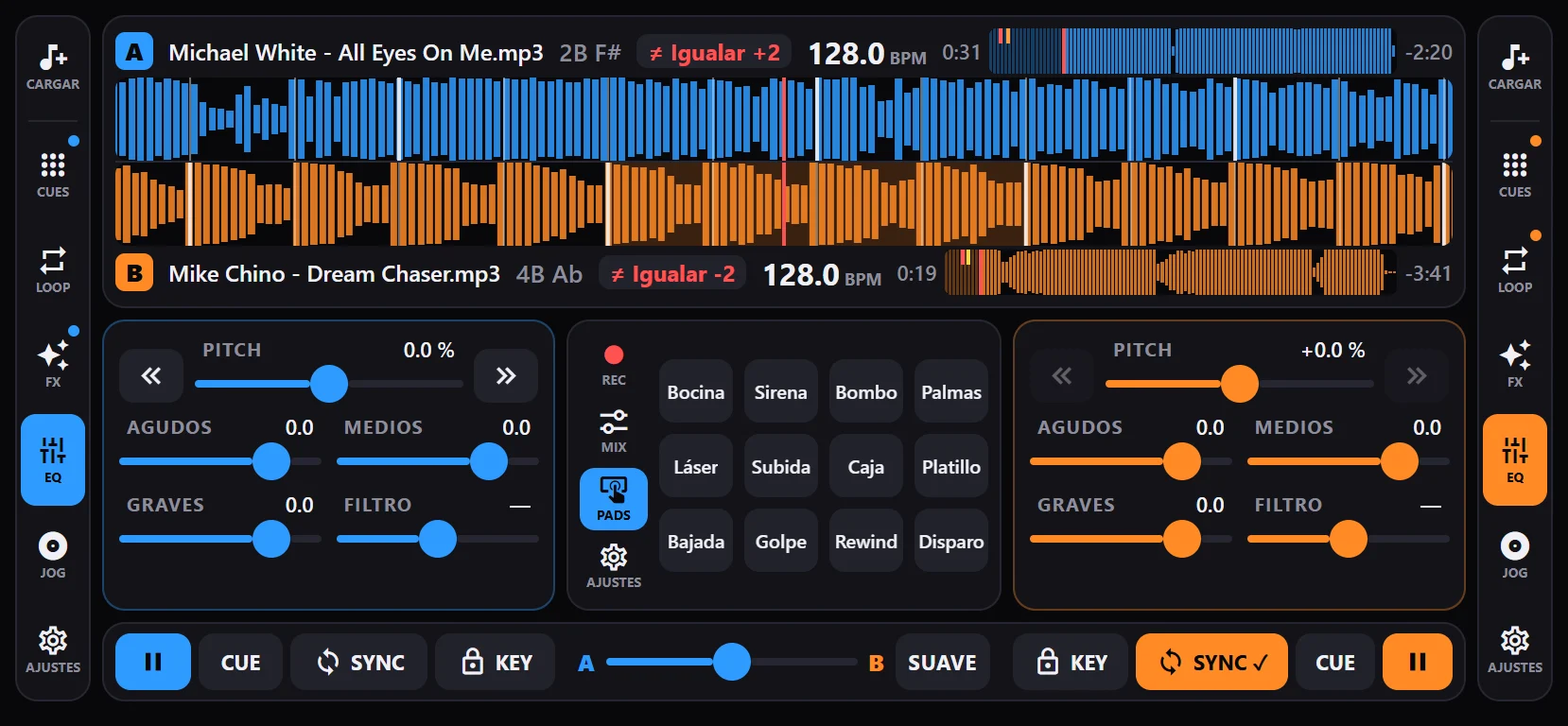
DjLabPro brings what you’d find on a two-deck DJ mixer to your phone: sync, loops, effects, EQ, mixer and library. It is designed for landscape: both waveforms on top, one above the other, each deck under your thumb and the mixer in the middle. Everything works with several fingers at once.
Party mode: DJ anywhere
What makes us different. You’re at a party, there’s no mixer and someone has to play music. Plug your phone into the speaker, tap “Party” and that’s it: the app starts automix with your library, levels the volume of the tracks and turns on the limiter so the speaker doesn’t distort.
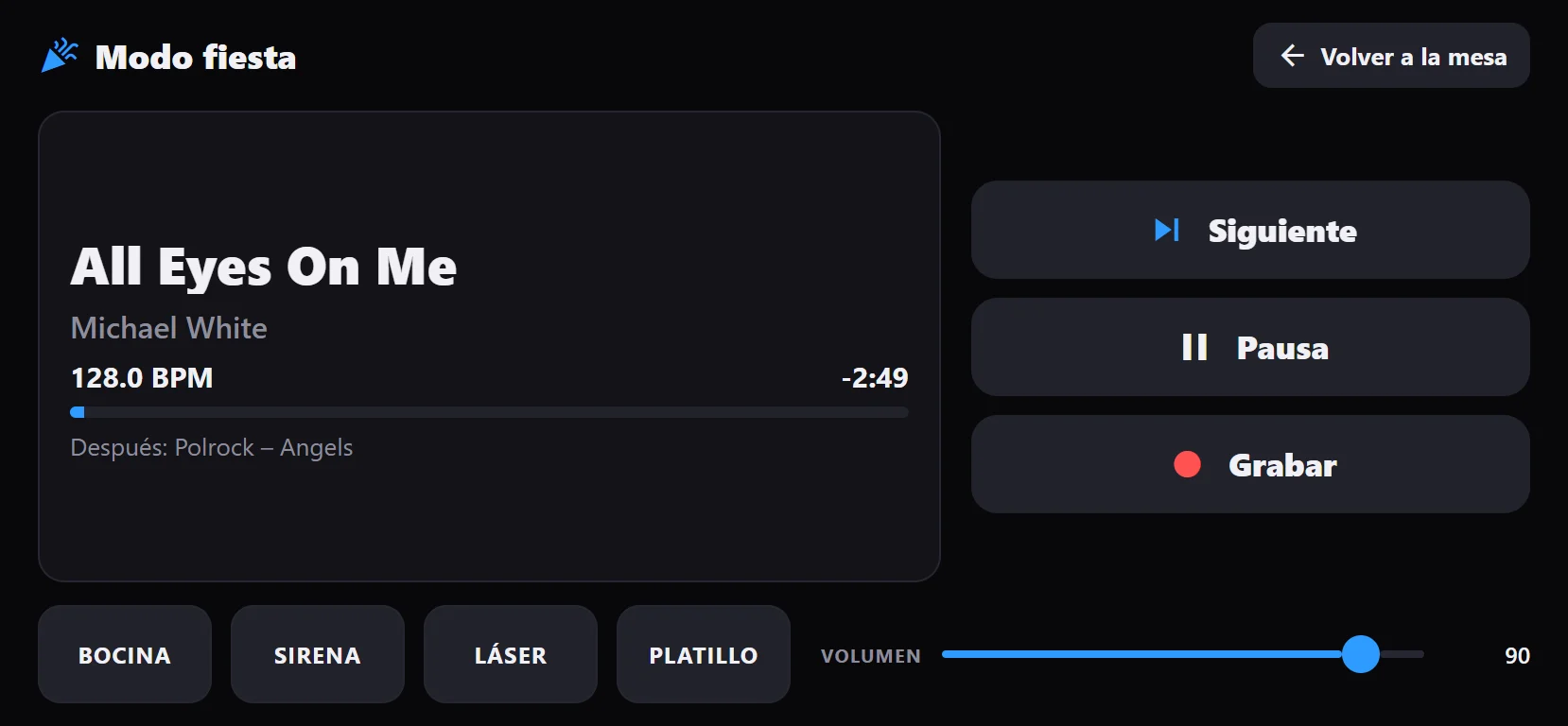
A big, simple screen opens, made to use with one hand and without looking much:
- What is playing, in big letters, with the time left and what comes next.
- Next: mixes into the next track right away, in sync, without waiting for the end.
- Pause, Record and the master volume.
- Four pads to fire up the crowd: air horn, siren, laser and crash.
When you want to DJ yourself, “Back to the decks” takes you to both decks without stopping the music.
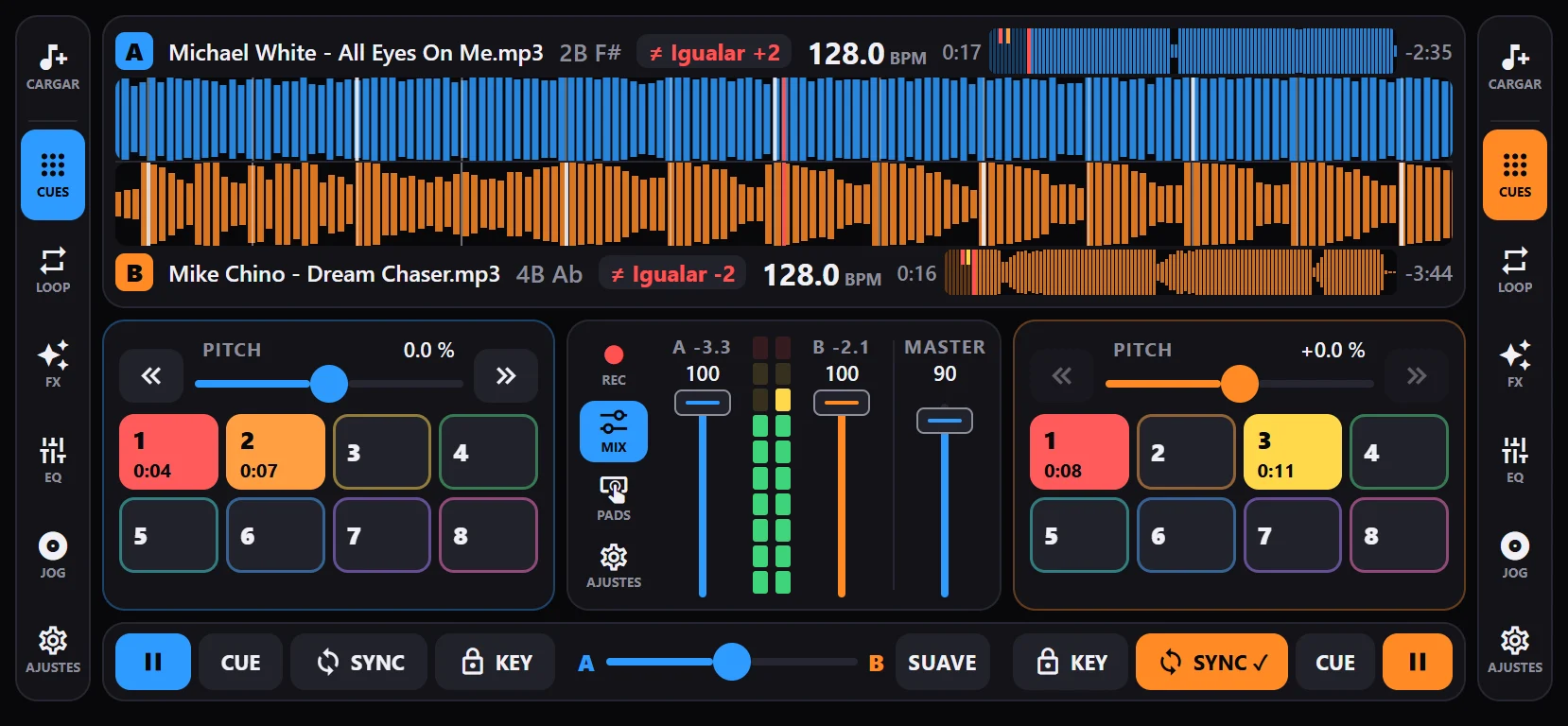
Two decks and sync
Phase sync
One tap on Sync matches the deck’s tempo and beats with the other one. The track always starts on the beat and stays locked even if you jump to a hot cue, loop or move the other deck’s pitch. It also works between double and half tempos.
Automatic BPM, beat grid and key
When you load a track, the app detects its tempo, beat grid and key. If it isn’t sure about the BPM, it suggests one for you to confirm. You can fix it by hand: ×2, ÷2, half a beat, ±10 ms, the downbeat or tapping Tap along.
Phrase counter
Next to each deck’s BPM, the phrase counter (“3.2 · 7 to go”) shows the bar and beat within the 16-beat phrase and how many beats are left until the next one, the usual moment to change tracks. It changes colour in the last bar. It needs the beat grid.
Waveforms, pitch, jog and brake
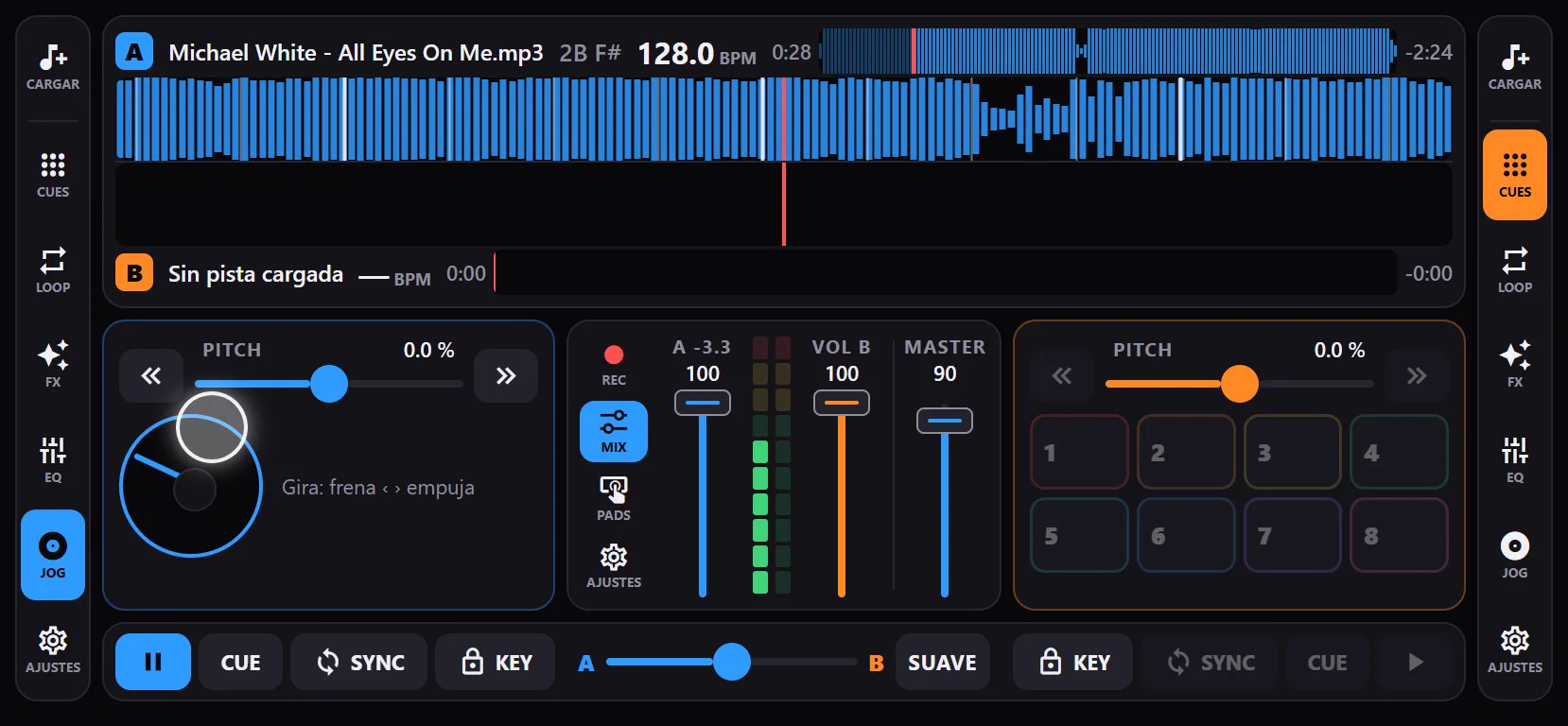
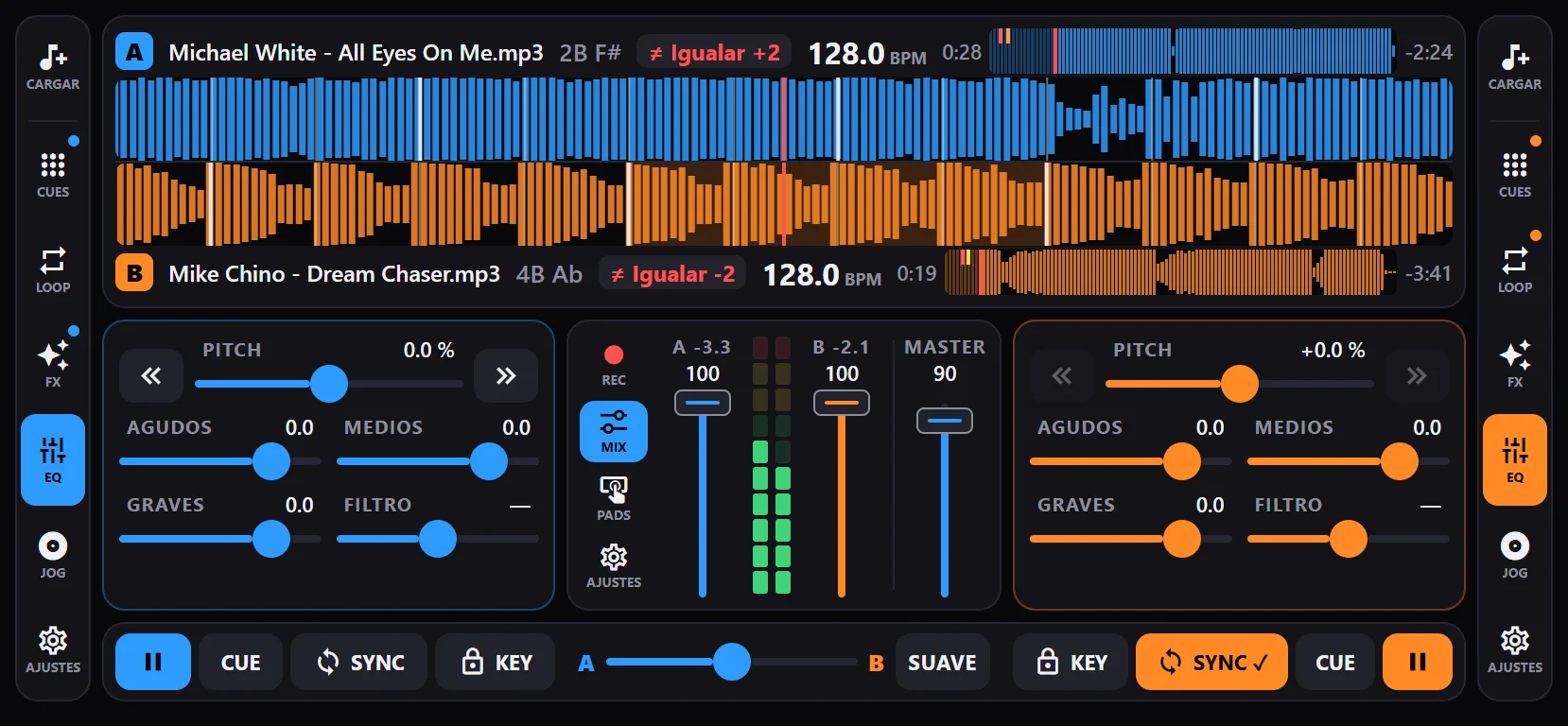
Both waveforms are stacked so you can compare the beats at a glance; drag them to search. Pitch goes to ±16% or ±8% for finer control, with arrows to nudge. The jog wheel speeds up or slows down a playing track and searches when paused, and if you hold pause, the track brakes like a vinyl.
Hot cues and loops
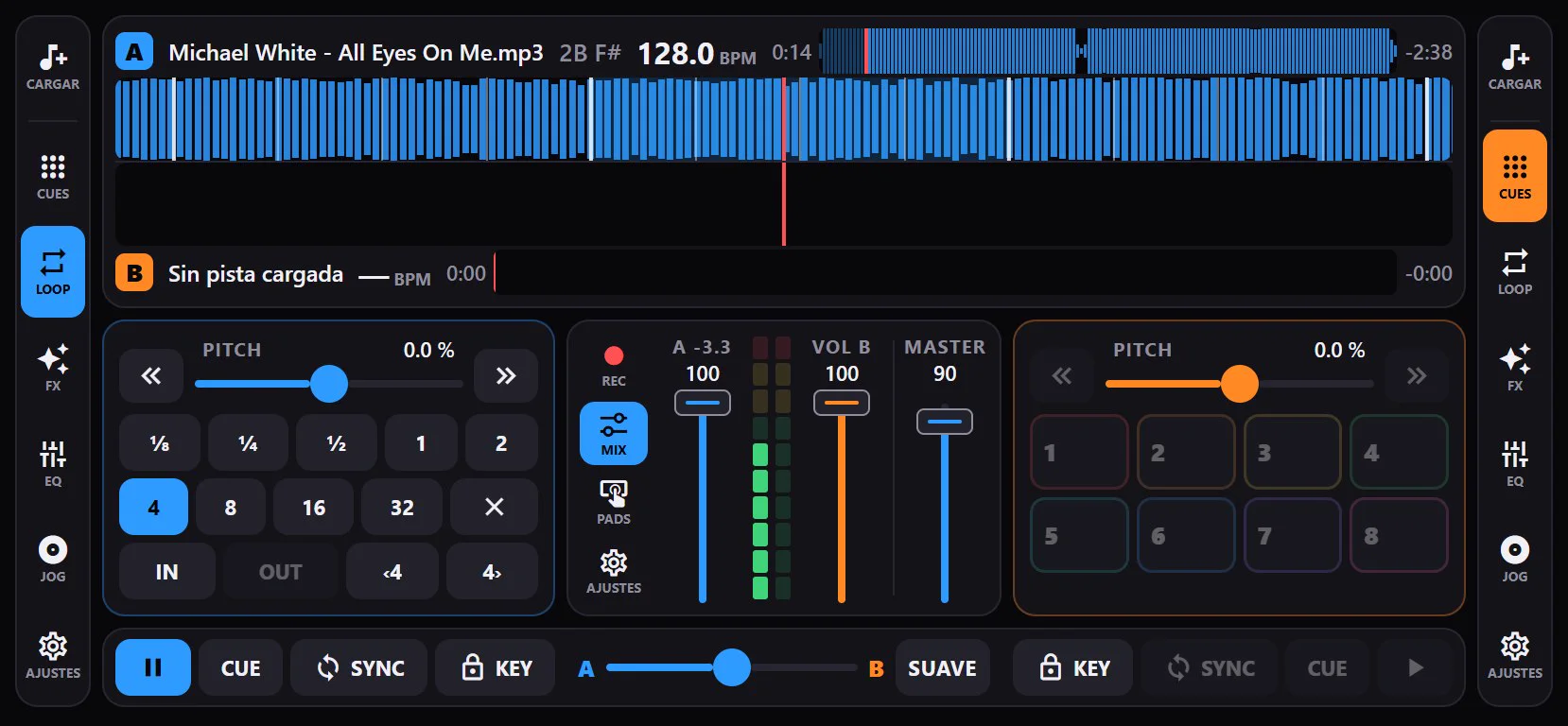
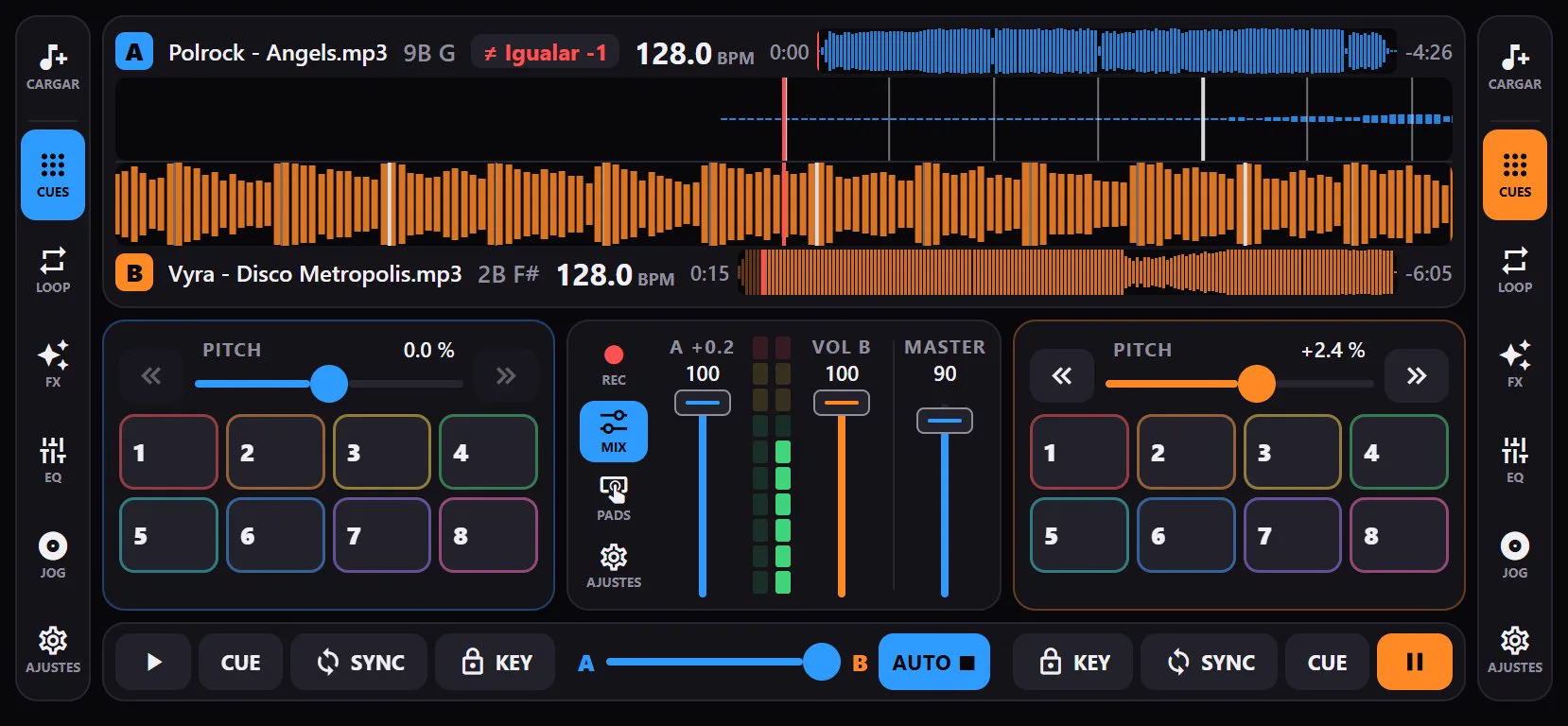
Eight hot cues per track, each with its colour, remembered the next time you load the track. Tap an empty hot cue while a loop is playing and the whole loop is saved (hot loop).
- ⅛ to 32-beat loops with a single tap, which you can shorten or lengthen without gaps.
- Loop roll: loops shorter than a beat return to where the track would be when you exit, keeping the bar.
- Manual loop with In and Out.
- Beat jump: jump beats forwards or backwards without losing phase.
Effects and EQ
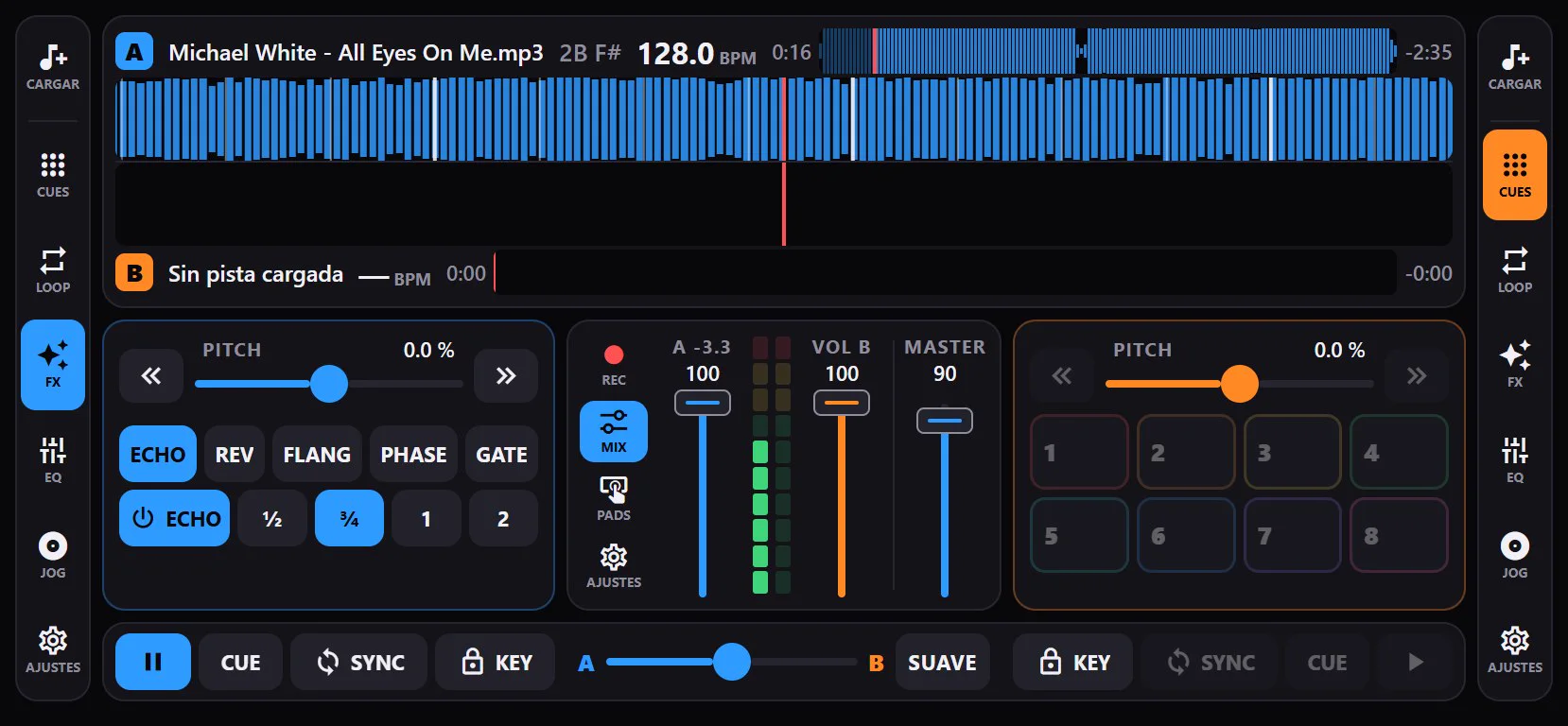
Five effects that follow the beat of the track: echo, reverb, flanger, phaser and gate. Each has one-tap options, like the echo at ½, ¾, 1 or 2 beats.
Each deck has a 3-band EQ (highs, mids and lows) and a one-knob filter: to the left it keeps the lows, to the right the highs. Tap a band name to reset it.
Key, key lock and key shift
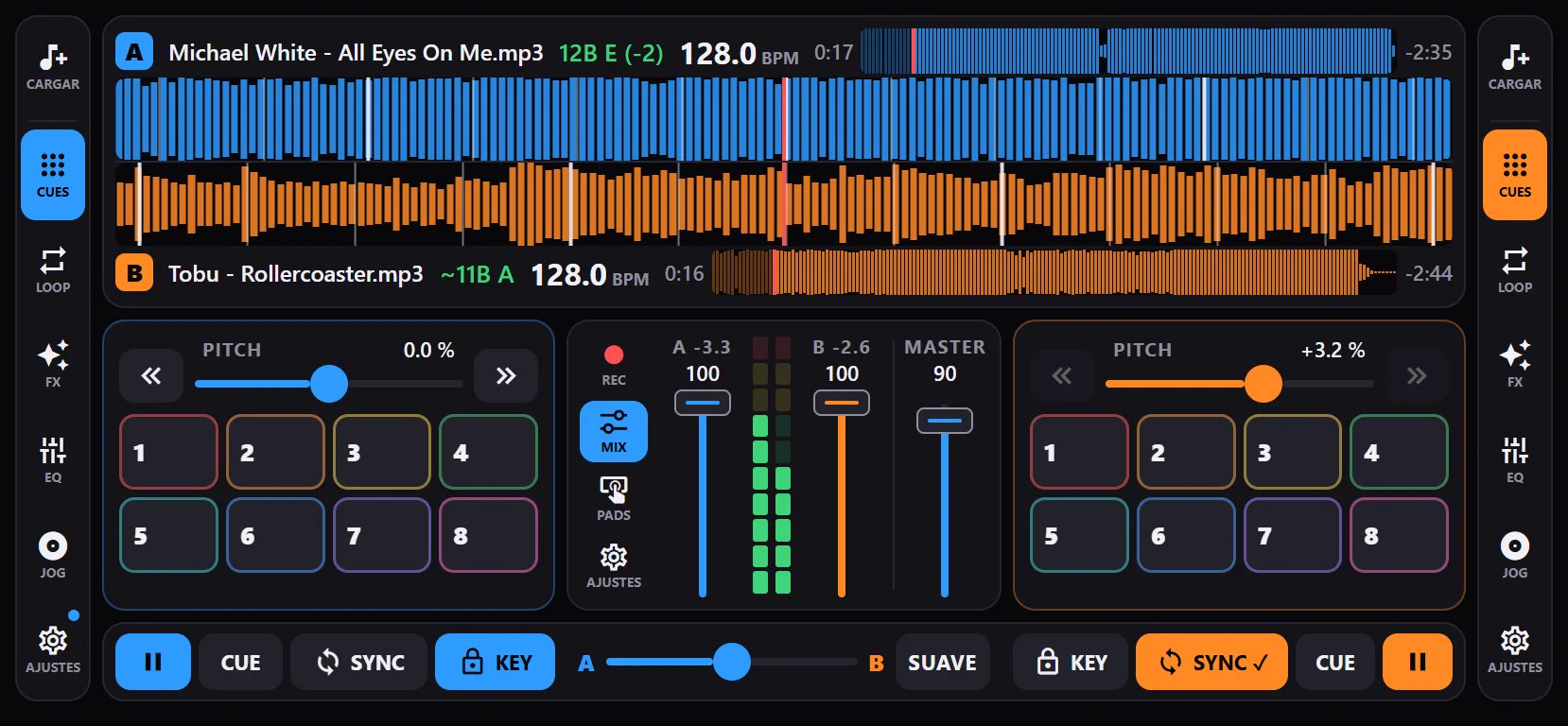
Each track shows its key in Camelot notation, in green when it mixes well with the other deck. If they clash, the app offers “Match”: it shifts the key just enough to fit, without touching the tempo.
Key lock keeps the pitch when you change the speed, and in the deck settings you can move semitones up or down.
AI stems
Split any track into vocals, drums, bass and the rest, and mute or keep each part while it plays: an acapella over another track, just the drums to bring it in… The separation runs on the phone itself, without uploading your music anywhere. The first time it takes a few minutes per track and then it is saved.
It needs a powerful phone, with at least 6 GB of RAM.
Mixer
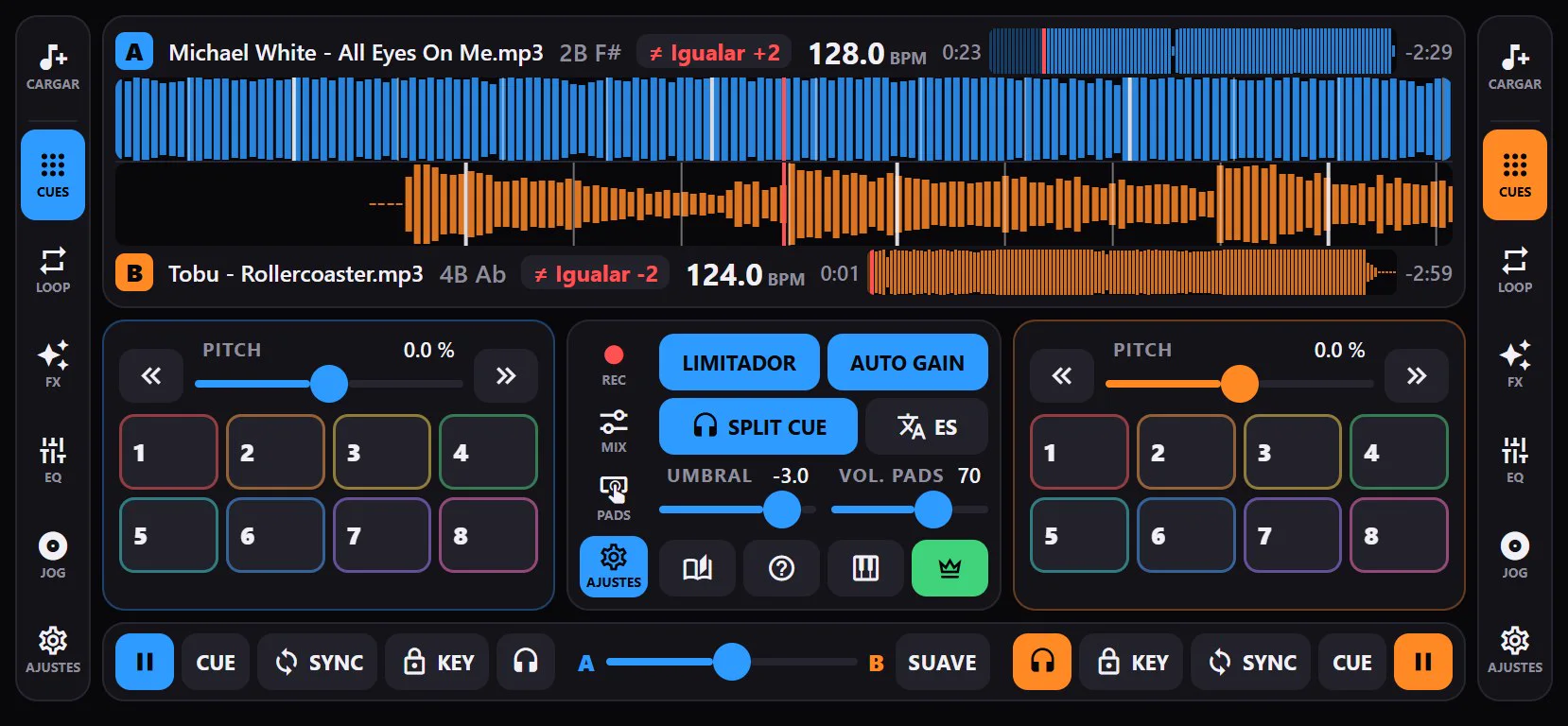
Volume faders with meters, master and a crossfader with three curves: smooth, flat and cut for scratching. A limiter keeps the output from distorting and auto gain levels the volume of the tracks.
Twelve DJ sound pads (air horn, siren, laser, crash…) to fire over the music, or your own sounds.
With split cue you hear the next track on headphones before it plays: the master comes out one side and the headphones the other, with a Y cable that splits left and right.
Free music to get started
If you have no music on your phone yet, in the library, “Download music” fetches tracks under free licenses (CC0, public domain or CC BY) for free, inside the app, in 10 styles: Ibiza, Remember, House and tech house, Techno, Afro/Latin/Techno, Disco and funk, Breaks and bass, Hip hop, Latin, and Pop and EDM. 198 tracks in total.
- You pick the styles, see how many MB they take and press Download. If it is interrupted, press it again and it carries on where it stopped.
- The tracks are added to the library, Automix and party mode by themselves, and you can delete each style.
- The credits of every track, with its author and license, are in the app, under “Music credits”.
It is free for everyone and only in the phone app: the browser version does not have it. More in the manual.
Library and automix
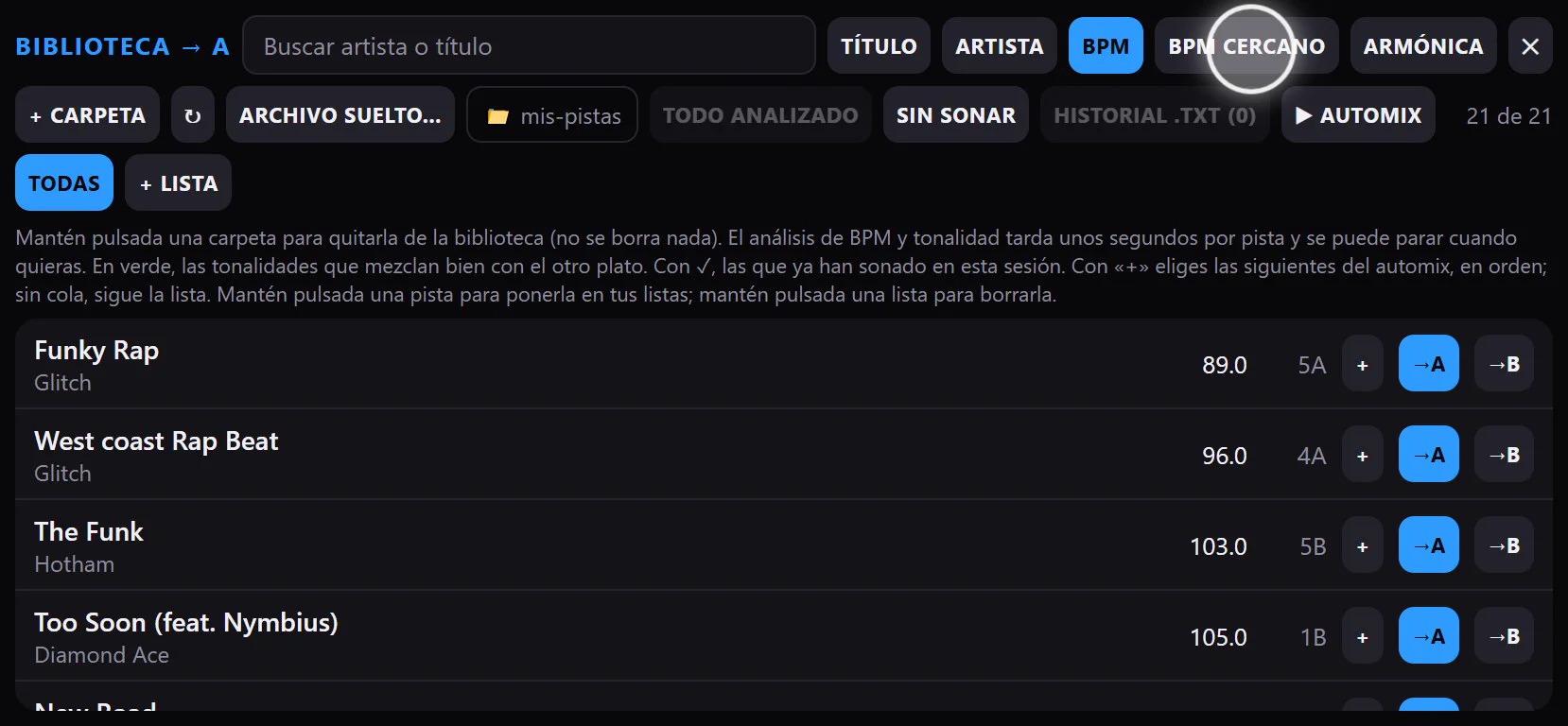
Choose the folders where your music is and the app remembers them. It reads the title and artist of each file, searches without accents and sorts by title, artist, BPM, the BPM closest to the other deck or the keys that mix best. You can analyse the whole library at once and create playlists.
Automix mixes your playlist on its own: in sync, at the end of each phrase and swapping the bass from one track to the next. With “+” you choose what plays next.
With Pro, “Import from rekordbox” brings in what you already prepared there from the exported XML: BPM and beat grid, hot cues and playlists. Memory cues and tempo changes inside the track are not imported.
Record your sets
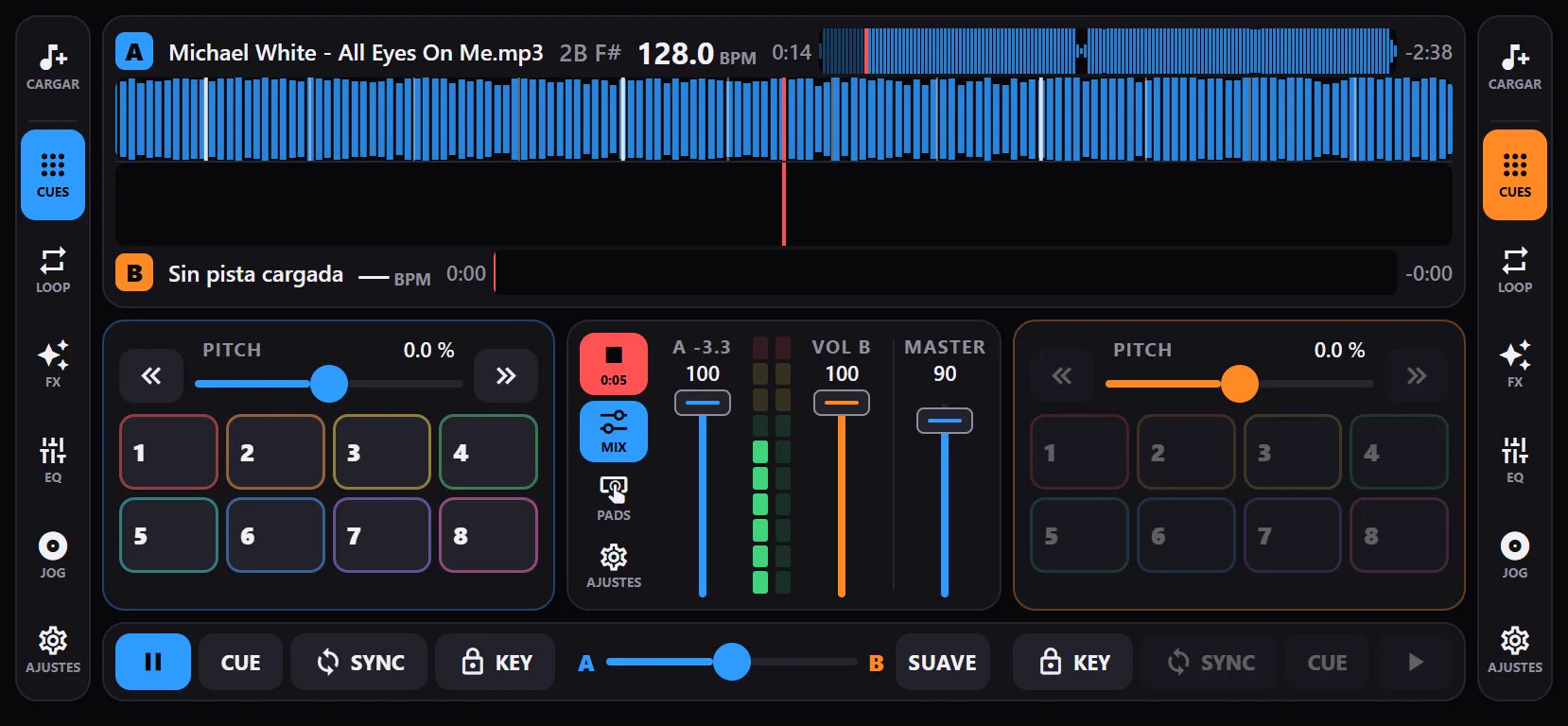
Record everything coming out of the master, with effects and pads, and save it to any folder. Next to it, the tracklist is saved with the minute each track came in, ready to share.
And also
- Keeps playing with the screen off or another app in front, with a pause button in the notification.
- In English, Spanish, French and German, with a quick-start guide and a full manual inside the app.
- The full manual, also on the web: Manual.
- Remembers your settings, your hot cues and your BPM corrections.
- No ads.
- Try it free in your desktop browser: app.djlabpro.com (best with Chrome or Edge).